The deploy agent
A fresh project does not know how to run yet. The deploy agent works that out: it reads the repository, decides what the services are, what commands start them, what ports they bind and what environment they need, writes that configuration, and boots a sandbox.
Start it from the project's settings view, or by sending it a message. The conversation on the left is the deploy agent; the panel on the right is the configuration it is writing.
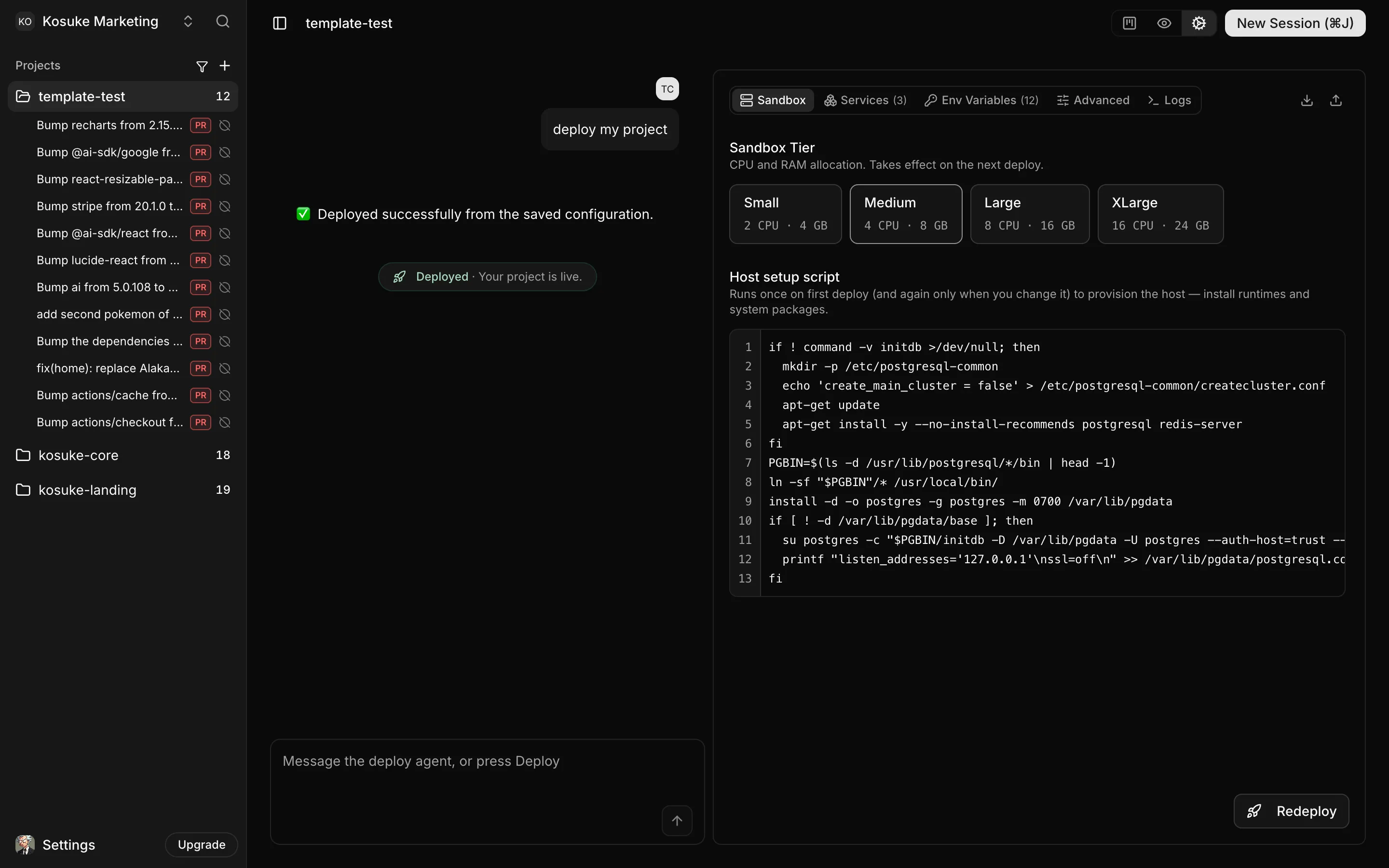
The first deploy boots on XLarge, because nothing yet knows how much the project needs. The agent measures the real usage and sets the right tier, which every later sandbox uses.
When the agent needs an answer it stops and asks, and the deploy sits in awaiting_user
until you reply in the same conversation. Answer it and the deploy continues.
Check what it wrote
The agent is usually right, and it is worth two minutes of your time when it is not. Five tabs hold the whole configuration.
- Sandbox: the resource tier, and the host setup script that installs runtimes and system packages. It runs once, and again only when you edit it.
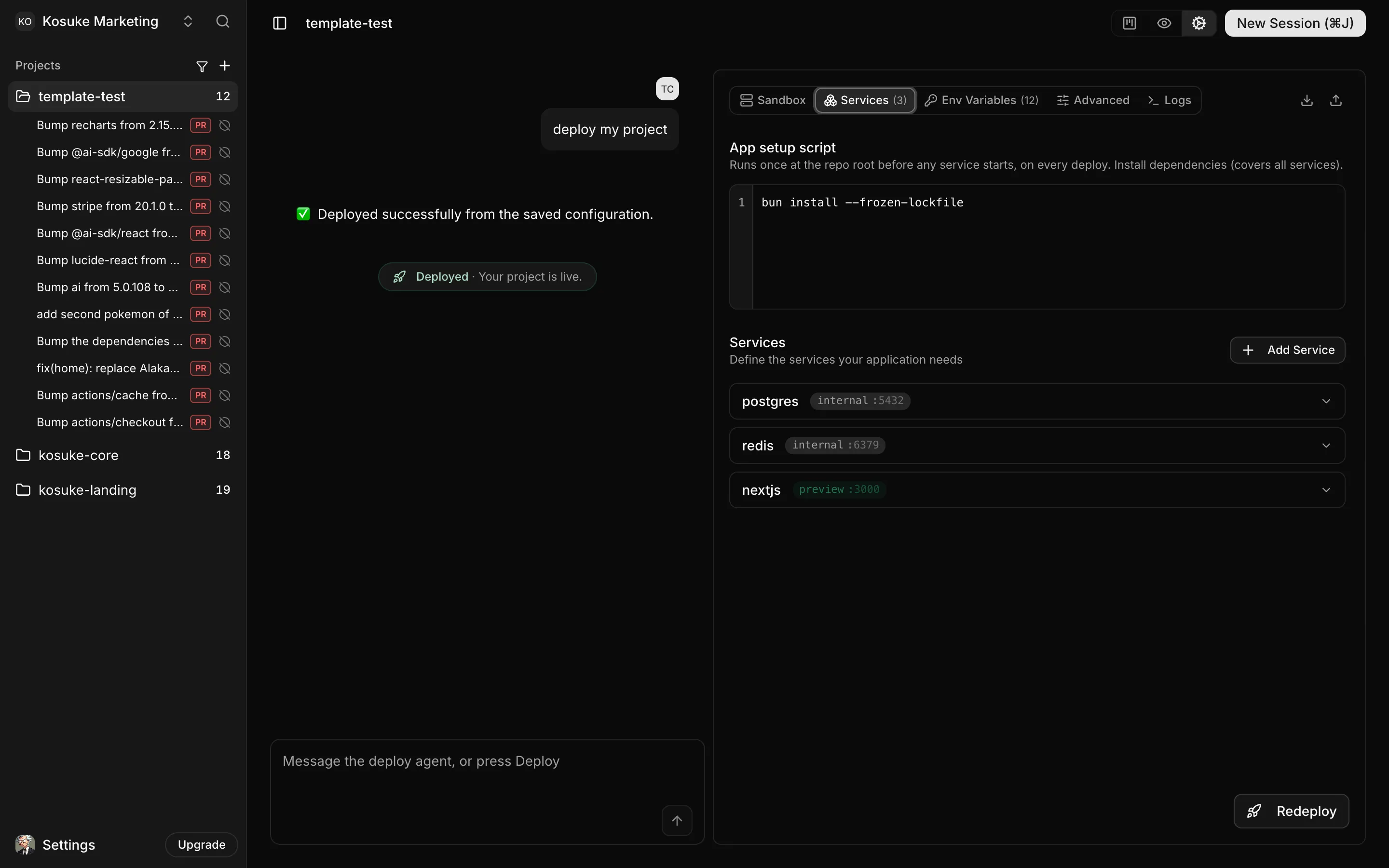
- Services: everything that runs. Apps, workers and databases are all services. Each
one has a start command and zero or more endpoints, and each endpoint is
internal(reachable only inside the sandbox),public(has a URL) orpreview(has a URL and is shown in the preview panel). The order matters: list the primary endpoint first, because it answers{{service.url}}and drives the readiness probe. - Env Variables: injected into every service at startup. Mark the sensitive ones as
secrets, and they are encrypted at rest and masked in the interface. Values can
reference services rather than hardcoding a URL:
{{nextjs.url}}resolves to the public preview URL at boot,{{postgres.url_int}}to the in-sandbox one. - Advanced: the app setup command that runs before any service starts, the warmup command that runs once they are healthy, the branch sessions start from, the branch pull requests target, and the review commands. Review commands are your quality gate: lint, typecheck, tests. They run in order before every submit, so prefer the autofix variants.
- Logs: what the sandbox is saying, which is where a failed deploy explains itself.
The whole configuration is one kosuke.config.json. Export it, commit it, import it into
the next project.